One Time Update
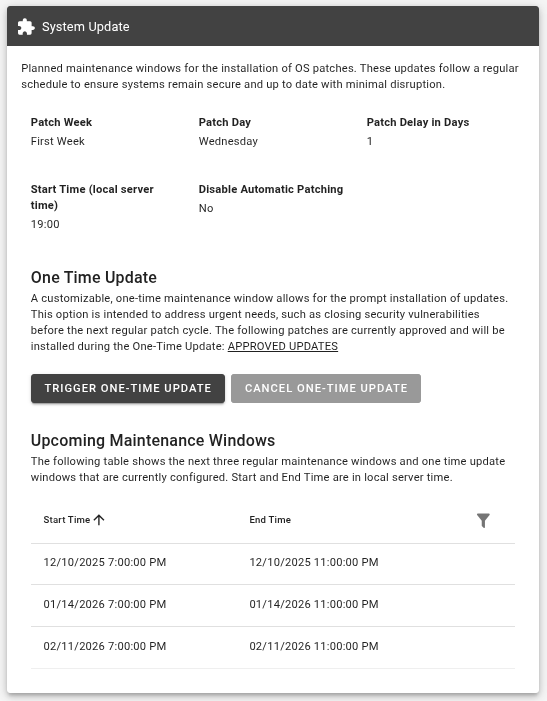
The One Time Update feature gives you the ability to start the update process outside the monthly maintenance window. This way, critical vulnerabilities can be closed promptly.
In the ix.Cloud Portal, you can start the One Time Update for a Virtual Machine or via a bulk action for multiple Virtual Machines.
For more information, see the chapter System Management Services - System Update.
Virtual Machine
In the detail view of the Virtual Machine, in the Addons tab, you can create, edit, and delete additional maintenance windows for the update process.
Bulk action
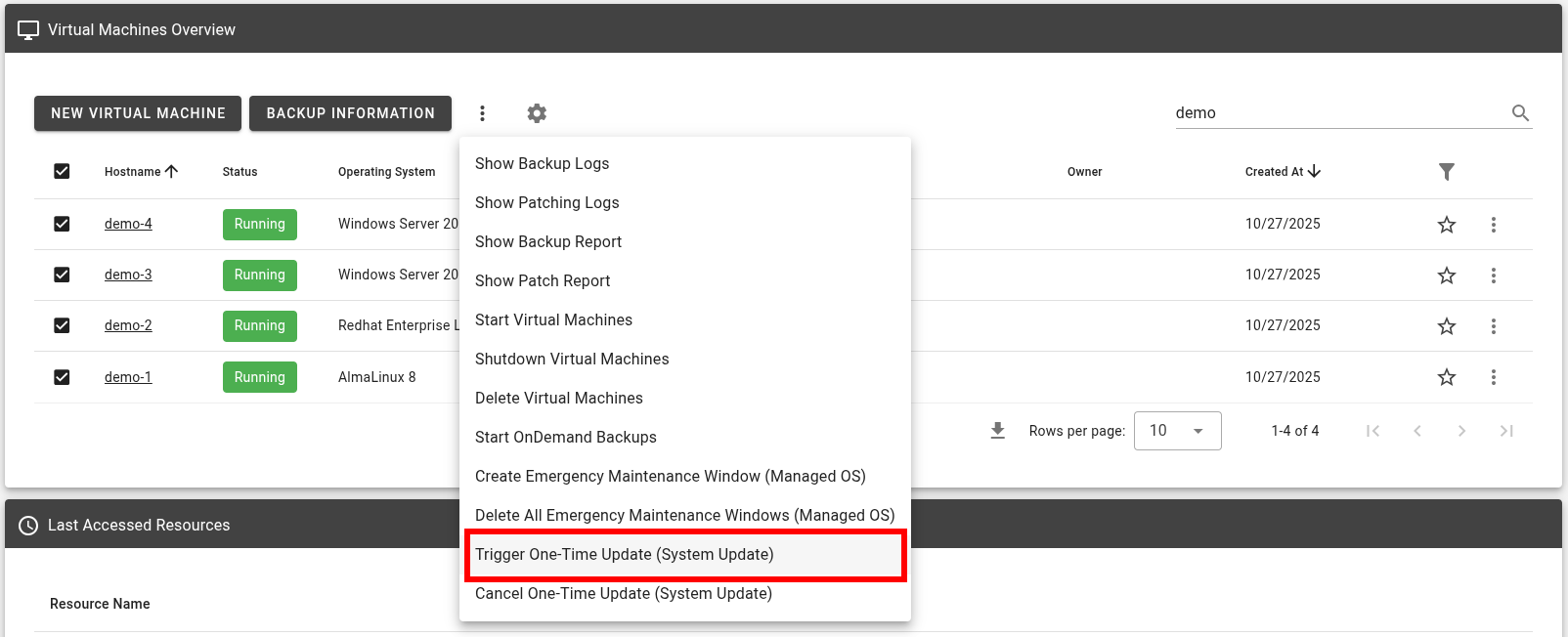
In the Virtual Machine overview, you can create an additional maintenance window for the update process simultaneously for multiple Virtual Machines.
Select the desired Virtual Machines in the overview, open the context menu (three dots above the table header), and select Trigger One-Time Update (System Update).